Windows maintenance and privacy

Safiصافي

Safi means clear and pure in Arabic

Keep Windows clean, quick and private, and see every change before it happens.

Beta A signed release is coming.

  • Portable
  • No accounts
  • No telemetry
  • x64 and ARM64
Safi / Privacy
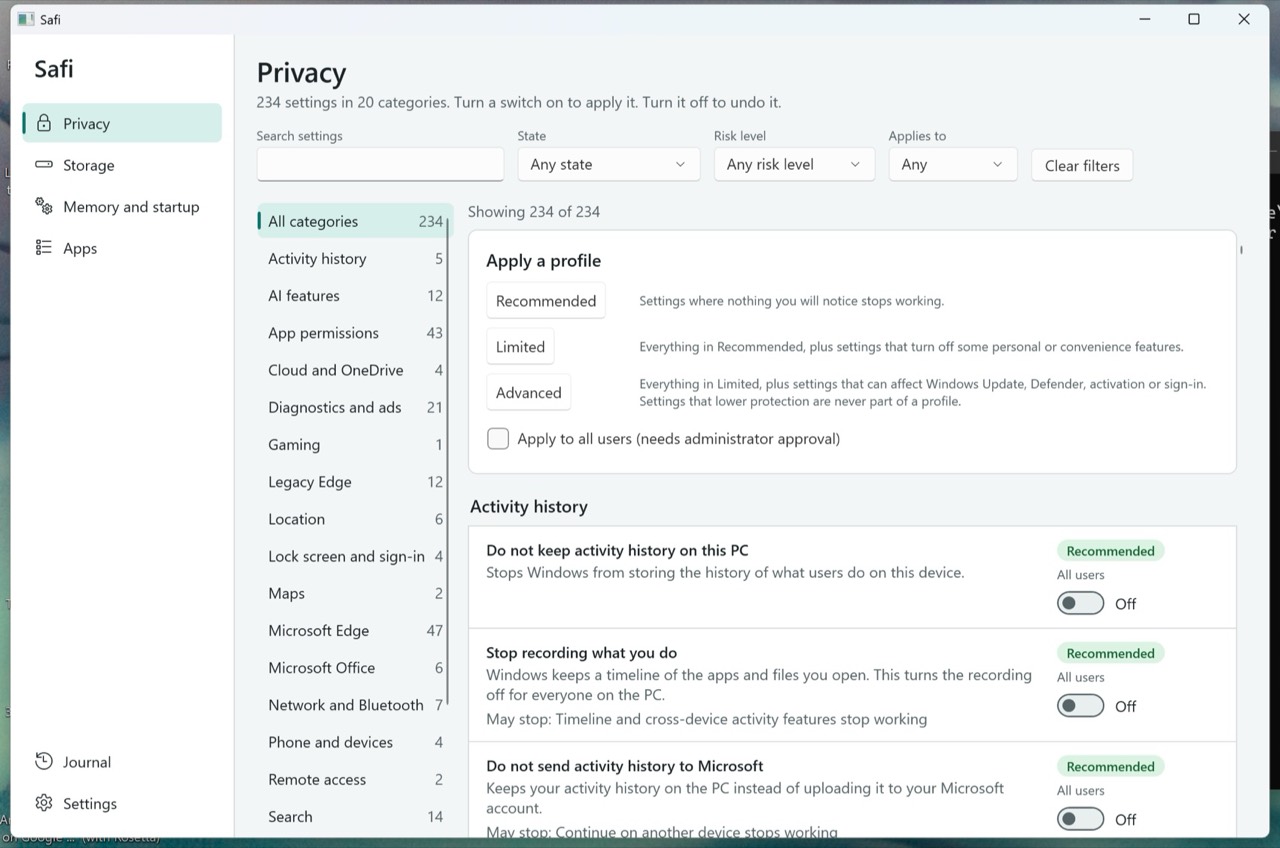
Safi Privacy page. Settings are listed by category, with Recommended, Limited and Advanced profiles and an on and off switch for each setting.

What Safi does

Four tools in one window. Each one shows you the plan before it acts.

Safi / Privacy
Safi Privacy page. Settings are listed by category, with Recommended, Limited and Advanced profiles and an on and off switch for each setting.
Privacy

317 settings, each one reversible

Windows has hundreds of switches for tracking, ads, suggestions and data sharing. Safi lists 317 of them in plain words, grouped by topic, such as Activity history, AI features, App permissions, Location and Microsoft Edge.

  • Every setting has a plain description, a risk level and a note on what may stop working.
  • Three profiles: Recommended, Limited and Advanced. Settings that lower protection are never part of a profile.
  • Turn a switch on to apply it. Turn it off to put back what was there before.
  • After a Windows update, Safi tells you which settings Windows reset, and you can apply them again.
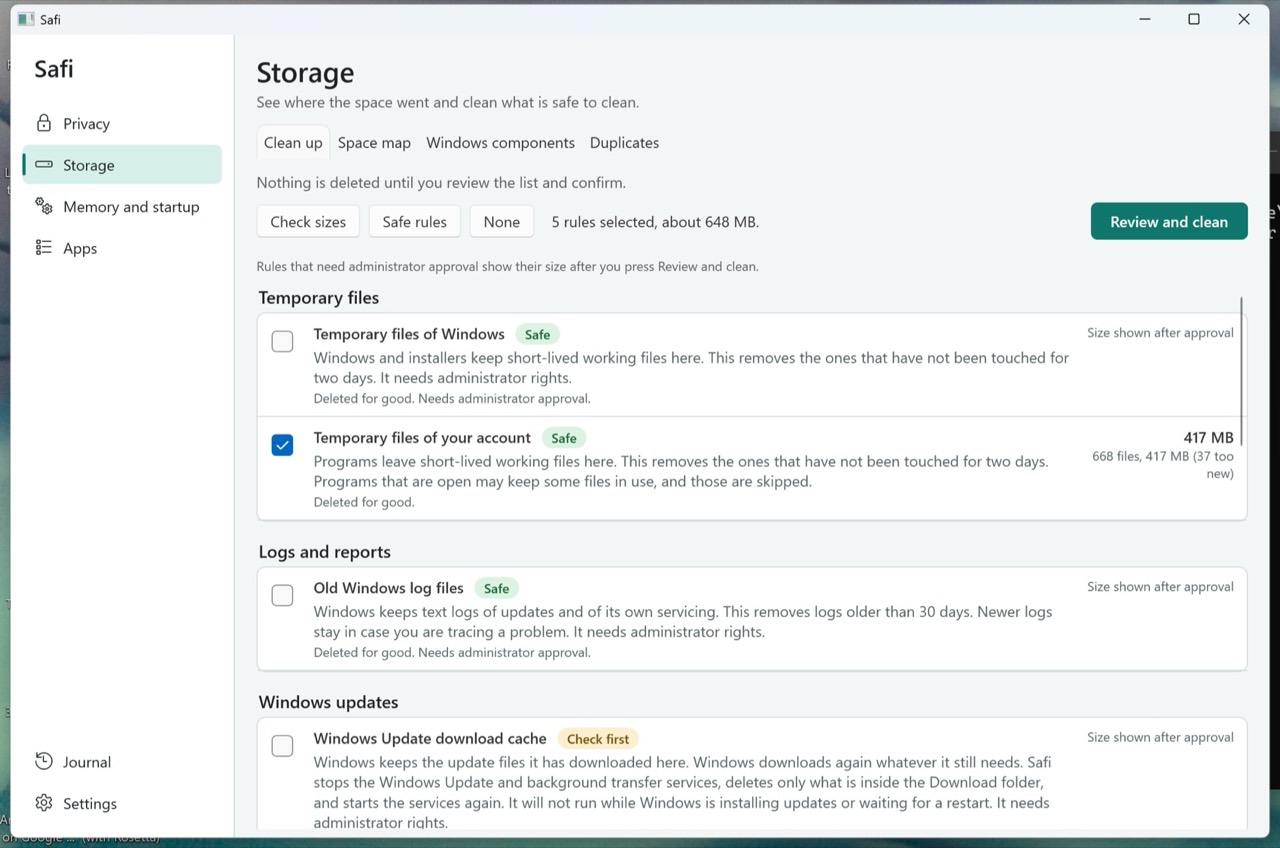
Safi / Storage
Safi Storage page on the Clean up tab. Each cleanup rule shows a Safe or Check first label, what it removes, and whether it needs administrator approval.
Storage

See where the space went. Clean what is safe.

Every cleanup rule has a plain explanation and a Safe or Check first label. Safi shows the full list first. Nothing is deleted until you review it and confirm.

  • Clean up: 13 rules for temporary files, logs, crash dumps, update caches, graphics caches and browser caches. Locked files are skipped.
  • Space map: the biggest folders and files on a drive, at a glance.
  • Duplicates: files are matched by their content, and Safi never removes the last copy. Removed copies go to the Recycle Bin.
  • Windows components: check the size of the component store, Windows.old, the hibernation file and restore points before you clean them.
Safi / Memory and startup
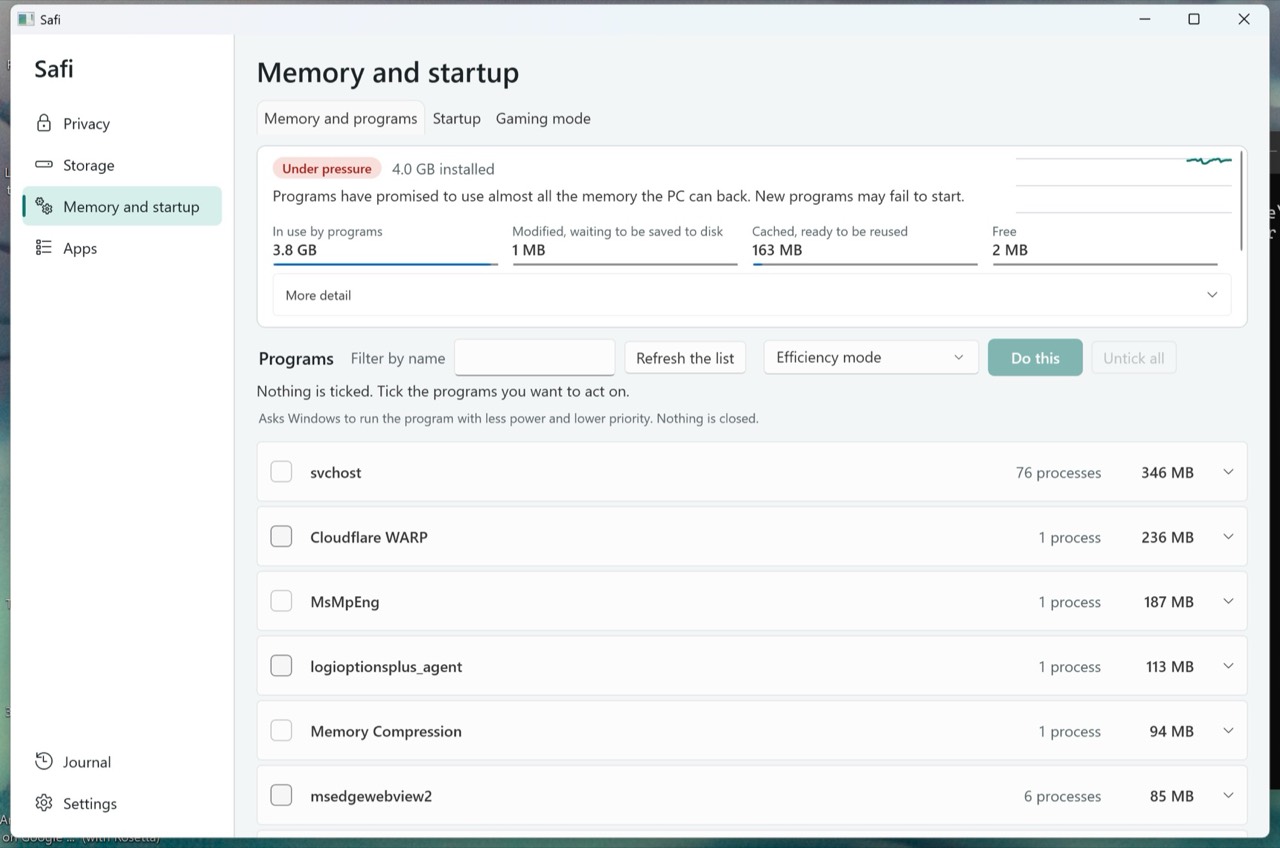
Safi Memory and startup page. A summary shows the memory state with memory in use, cached and free, above a list of programs grouped by name with the memory each one uses.
Memory and startup

Honest memory numbers. Startup under control.

Safi shows how your memory is used, in plain words, with one state: Healthy, Busy or Under pressure. There is no boost button and no "RAM freed" total. Low free memory is normal, because Windows keeps spare memory as a cache on purpose.

  • A live view of memory in use, cached and free, and the programs using the most.
  • Programs grouped by app. Tick the ones you want, then run them in efficiency mode, lower their priority or close them.
  • Startup items from the registry, startup folders and scheduled tasks. Turn them off and on the same way Task Manager does.
Safi / Apps
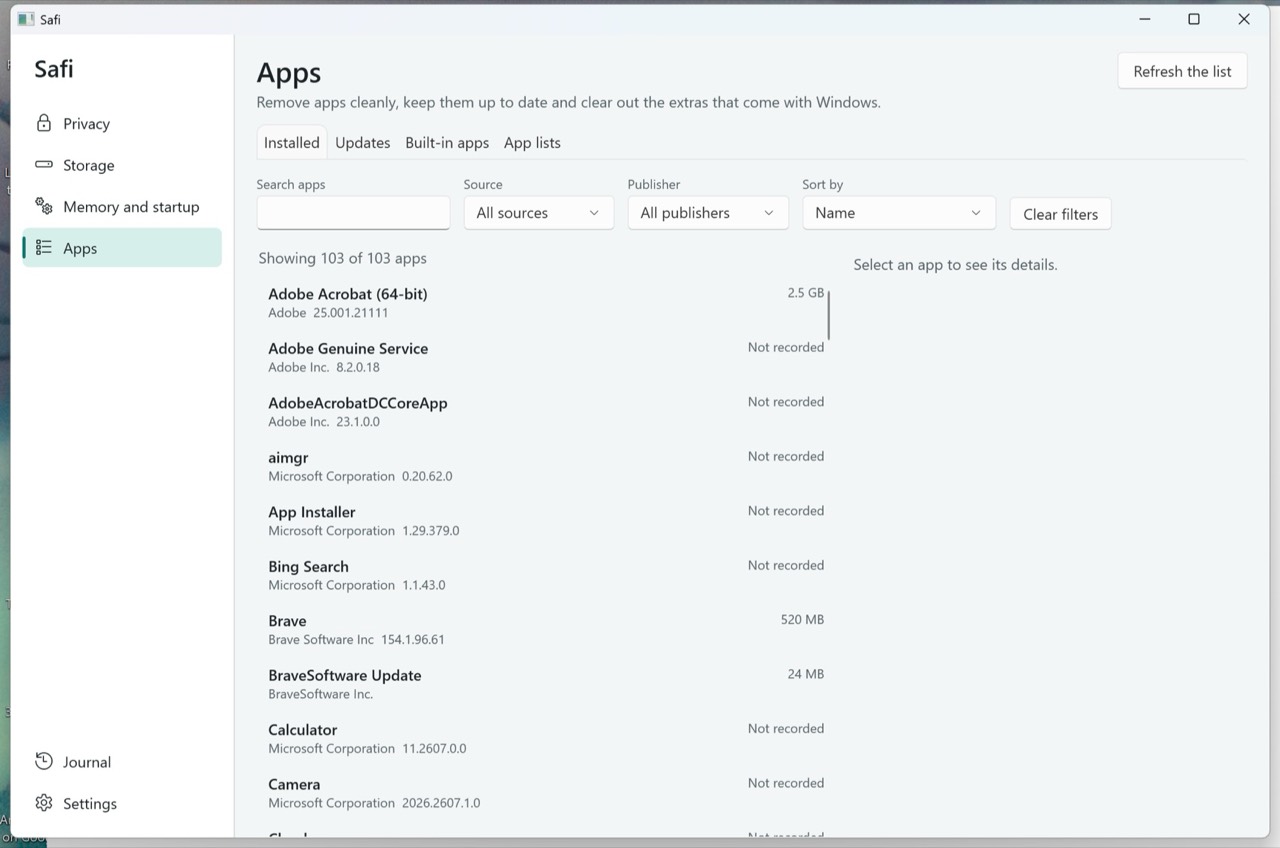
Safi Apps page on the Installed tab, with search, source and publisher filters above a list of installed apps and their versions.
Apps

Remove apps cleanly. Keep them current.

One list of your desktop programs and Store apps, with the size, publisher and source of each.

  • Uninstall with a leftover review. Safi finds files and registry entries a program left behind. You choose what goes, and registry entries are saved to a .reg file first.
  • Updates: see which apps have a newer version and update them through Windows Package Manager (winget).
  • Built-in apps: remove the extras that come with Windows. They are sorted into tiers, and apps Windows needs are never listed.

How Safi keeps you safe

The rules the app follows, in plain words.

  • Every settings change is journaledBefore a change, Safi writes it to the journal with the value it replaces. Undo puts that value back.
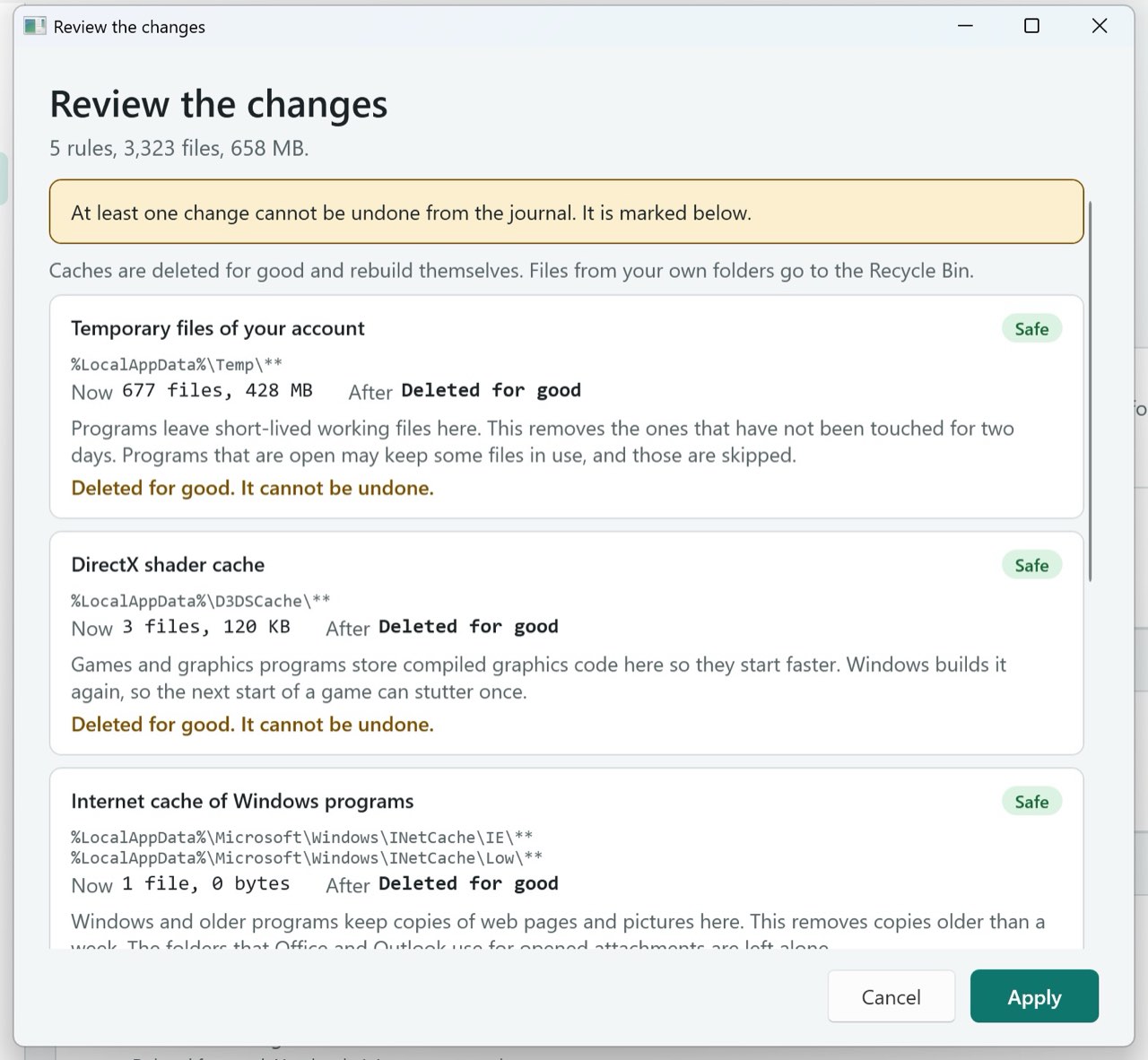
  • Nothing is deleted until you review the listCleanup shows every folder and size first. Caches are deleted for good, and the list says so. Files from your own folders go to the Recycle Bin.
  • No registry cleaner, no scare scansSafi never tells you your PC is in danger and never promises a speed number.
  • No accounts, nothing sentThere is no sign-in and no telemetry. Safi sends nothing about you anywhere. It uses the network only when you start something that needs it, such as an app update.
  • A signed settings catalogueThe list of settings Safi can change is signed. Safi refuses a list that has been altered.
  • Careful with administrator rightsThe Safi window runs as you. A change for all users asks Windows for approval once, and Safi asks for a restore point first. If System Protection is off, it says so.
Safi / Review the changes
The Review the changes window in Safi. It lists each cleanup rule with the files and size it will remove, and a note that deleted caches cannot be undone, with Cancel and Apply buttons.

Requirements

Safi runs from the folder you unzip it to.

Windows
Windows 11: tested. Windows 10: in testing.
Processor
x64 and ARM64.
Install
Portable. Unzip and run. No installer needed.
Administrator
Only when a change needs it.
Language
English at launch.

Status

  • Beta. A signed release is coming.
  • Pricing announced at launch, in USD.

There is no download yet. We will publish it once the build is signed, so Windows can show who made it.

Questions? Write to contact@us-serv.com.

Notify me

Leave your email and we will tell you when Safi is released.

We send a confirmation email first. Safi news comes in the monthly US Serv digest, with a one-click unsubscribe. See the privacy policy.